Warning: Undefined array key "find" in /home/u103243232/domains/howtodelete.io/public_html/wp-content/plugins/seo-by-rank-math-pro/includes/modules/image-seo/class-image-seo-pro.php on line 478
Warning: Undefined array key "replace" in /home/u103243232/domains/howtodelete.io/public_html/wp-content/plugins/seo-by-rank-math-pro/includes/modules/image-seo/class-image-seo-pro.php on line 478
Warning: Undefined array key "find" in /home/u103243232/domains/howtodelete.io/public_html/wp-content/plugins/seo-by-rank-math-pro/includes/modules/image-seo/class-image-seo-pro.php on line 474
Warning: Undefined array key "replace" in /home/u103243232/domains/howtodelete.io/public_html/wp-content/plugins/seo-by-rank-math-pro/includes/modules/image-seo/class-image-seo-pro.php on line 474
Warning: Undefined array key "find" in /home/u103243232/domains/howtodelete.io/public_html/wp-content/plugins/seo-by-rank-math-pro/includes/modules/image-seo/class-image-seo-pro.php on line 478
Warning: Undefined array key "replace" in /home/u103243232/domains/howtodelete.io/public_html/wp-content/plugins/seo-by-rank-math-pro/includes/modules/image-seo/class-image-seo-pro.php on line 478
Facebook remains one of the most widely used social media platforms in 2025, but not everyone wants to stay connected forever. From privacy concerns and time management to simply moving away from social media, millions of people search for ways to delete their Facebook account permanently or Delete Facebook Account.
If you’re ready to move on, this guide will show you step-by-step how to delete your Facebook account permanently. We’ll also cover how to deactivate your Facebook account temporarily, explain what happens after deletion, and answer the most common questions people ask before quitting Facebook.
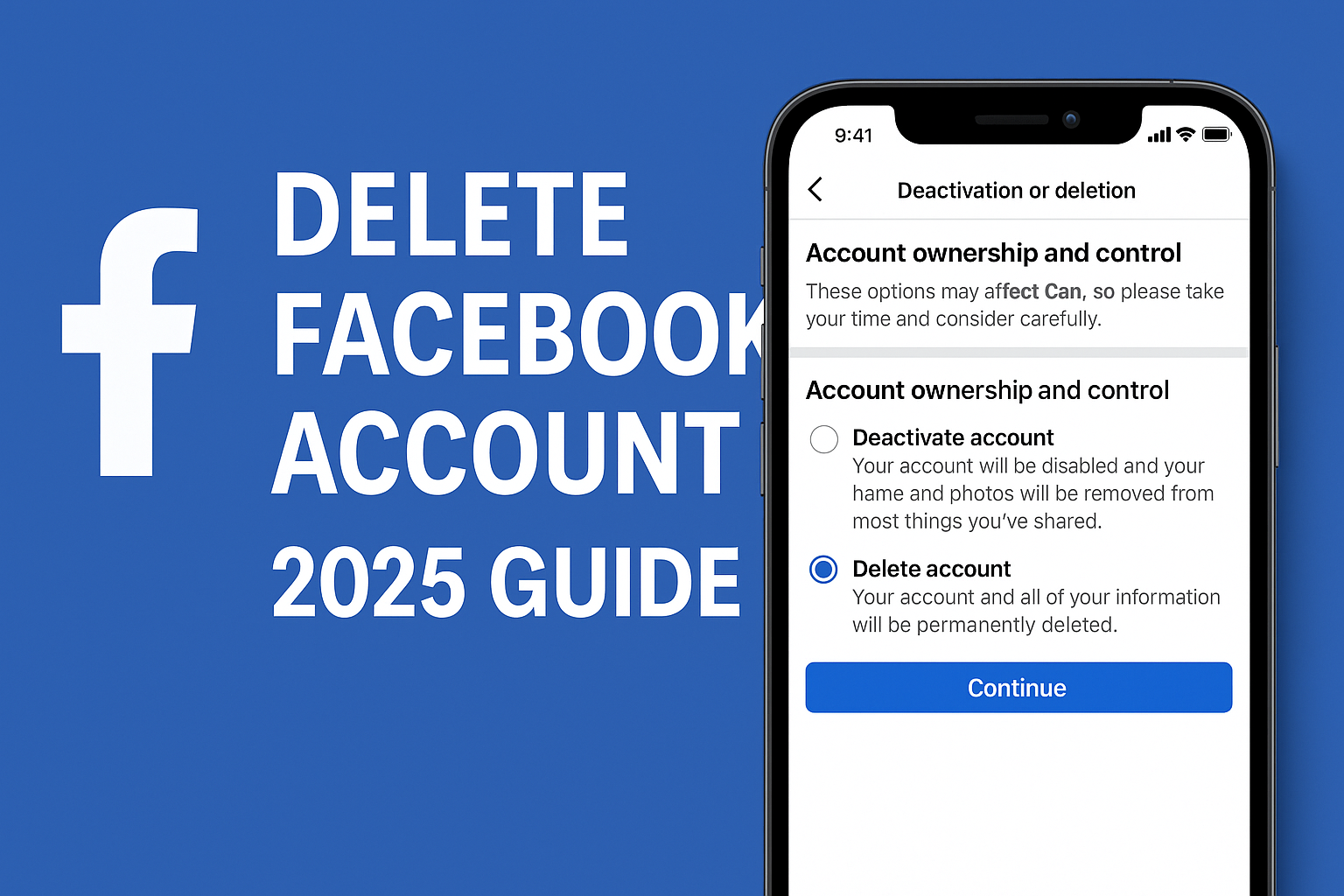
Delete vs Deactivate Facebook Account
Before you make a final decision, it’s important to understand the difference between deleting and deactivating your Facebook account:
- Delete Facebook Account (Permanent):
- All posts, photos, videos, and interactions are erased forever.
- Messenger access is lost.
- You cannot log back in.
- After a 30-day grace period, your data is gone permanently.
- Deactivate Facebook Account (Temporary):
- Your profile becomes invisible.
- Posts and friends remain stored but hidden.
- You can log back in anytime to reactivate.
👉 If you are unsure, try deactivation first before taking the permanent step.
How to Delete Facebook Account on Mobile (iPhone & Android)
- Open the Facebook app and log in.
- Tap the menu (three lines) → Settings & Privacy → Settings.
- Scroll down to Accounts Center.
- Select Personal Details → Account Ownership and Control.
- Tap Deactivation or Deletion.
- Choose your Facebook account.
- Select Delete Account.
- Enter your password and confirm.
- Tap Delete Account Permanently.
How to Delete Facebook Account on Desktop (Web Browser)
- Visit Facebook Settings.
- Go to Your Facebook Information in the left menu.
- Select Deactivation and Deletion.
- Choose Delete Account and click Continue to Account Deletion.
- Enter your password and confirm.
- Click Delete Account.
How Long Does It Take to Delete Facebook Account?
After you confirm deletion, Facebook begins a 30-day countdown. During this period:
- Your account is hidden but not erased.
- If you log in, you can cancel deletion.
- After 30 days, everything is permanently deleted, including your Facebook pages and Messenger access.
⚠️ Important: Some backup copies may remain in Facebook’s systems for up to 90 days, but they are not accessible publicly.
How to Download Facebook Data Before Deletion
Before deleting, you may want to save your memories:
- Go to Settings & Privacy → Settings.
- Select Your Facebook Information.
- Click Download Your Information.
- Choose Date Range, Format, and Media Quality.
- Click Create File.
You’ll receive a link to download all your posts, photos, videos, and more.
What Happens After Deleting Facebook?
- You lose access to Messenger.
- You can no longer use Facebook to log into apps like Spotify, Instagram, or games.
- Pages you created will also be deleted unless you assign another admin.
- Some messages you sent remain visible to your friends.
Top 10 Related Search Queries Covered in This Guide
- delete Facebook account permanently 2025
- how to delete Facebook account on mobile
- delete Facebook account on iPhone
- delete Facebook account on Android
- delete Facebook account on desktop
- difference between delete and deactivate Facebook
- how to deactivate Facebook account temporarily
- download Facebook data before deleting
- how long does it take to delete Facebook account
- recover Facebook account after deletion
FAQs
Q1. Can I recover my Facebook account after deletion?
No. Once 30 days have passed, your account and all data are permanently deleted.
Q2. Can I still use Messenger if I delete my Facebook account?
No. Messenger is linked to your Facebook account. Deleting Facebook means losing Messenger access too.
Q3. Can I delete Facebook account without password or email?
No. You need to log in and confirm with your password. If you’ve lost access, recover your account first.
Q4. What if I just want a break?
Choose Deactivation instead of deletion. Your account will be hidden until you log back in.
Q5. Does deleting Facebook also delete Instagram?
No. Deleting Facebook only affects your Facebook account. Instagram remains separate unless you choose otherwise in the Accounts Center.
Conclusion
Deleting your Facebook account permanently in 2025 is straightforward but irreversible. With privacy concerns and the growing trend of digital detox, many users are choosing to leave Facebook behind.
Follow the step-by-step instructions above to delete your account via mobile or desktop. If you are not completely sure, consider deactivation, which gives you the option to return without losing your data. And don’t forget to download your information before deleting, so you keep your memories safe.
By making this choice, you are taking control of your digital privacy and screen time in 2025.